 8fe19063c1
* Add Blend node * Add more implementations Currently, known buggy implementations: * Color Burn * Saturation Opacity is currently achieved by linear interpolation, this will be changed as soon as all filters are implemented. * Add more implementations Currently, known incorrect implementations: * Color Burn * Saturation Not yet Tested: * Linear Burn * Linear Dodge * Vivid Light * Linear Light * Pin Light * Hard Mix * Subtract * Divide Opacity is currently achieved by linear interpolation, this will be changed as soon as all filters are implemented. * Cleanup * Removed Unused Code * Fixed Clamping Issue * Fixed Inverted Opacity * Moved Opacity Calculation from individual Blend Functions into 'blend_node' function * Fix 'Color Burn' blend mode Currently, known incorrect implementations: * Saturation Not yet Tested: * Linear Burn * Darker Color * Linear Dodge * Lighter Color * Vivid Light * Linear Light * Pin Light * Hard Mix * Subtract * Divide Opacity is currently achieved by linear interpolation, this will be changed as soon as all filters are implemented. * Fix 'Saturation' blend mode Currently, known incorrect implementations: * None :D Not yet Tested: * Linear Burn * Darker Color * Linear Dodge * Lighter Color * Vivid Light * Linear Light * Pin Light * Hard Mix * Subtract * Divide Opacity is currently achieved by linear interpolation, this will be changed as soon as all filters are implemented. * Final Cleanups * Add proper Inputs * cargo fmt * Add test for doubling number * Display implementation for ProtoNetwork * Switch top and bottom * Add input types for blend image node * Fix test --------- Co-authored-by: 0hypercube <0hypercube@gmail.com> Co-authored-by: Dennis Kobert <dennis@kobert.dev> |
||
|---|---|---|
| .deploy | ||
| .github | ||
| .vscode | ||
| docs | ||
| document-legacy | ||
| editor | ||
| frontend | ||
| frontend-svelte | ||
| libraries | ||
| node-graph | ||
| proc-macros | ||
| website | ||
| .editorconfig | ||
| .gitattributes | ||
| .gitignore | ||
| .gitmodules | ||
| .nvmrc | ||
| Cargo.lock | ||
| Cargo.toml | ||
| LICENSE.txt | ||
| README.md | ||
| about.hbs | ||
| about.toml | ||
| deny.toml | ||
| package.json | ||
| rustfmt.toml | ||
README.md
Redefining state-of-the-art graphics editing.
Graphite is an in-development raster and vector 2D graphics editor that is free and open source. It is powered by a node graph compositing engine that supercharges your layer stack, providing a completely non-destructive editing experience.
Graphite is a lightweight vector graphics editor that runs in your browser. Its nascent node-based compositor lets you apply raster effects and co-create amazing art with AI in a non-destructive workflow. Fully-featured raster image editing, and a native desktop application, are current high-level development goals.
Launch the latest alpha version and learn more on the project website.
⭐ Please star this GitHub repository to help build momentum. ⭐
Discord
Join our Discord community to chat with the community and development team. Feel free to lurk, ask questions, give suggestions, or get involved in the project. We are always seeking new collaborators to help design and develop the software and this is where we communicate.
Building/Contributing
We need Rust and web developers! See instructions here for setting up the project and getting started.
We are also in search of artists to create beautiful sample work in Graphite and illustrations for the website and social media. Please get in touch if you are able to help out.
Design
The #1 priority for the Graphite software is providing a delightful user experience. The UI, UX, and product design is not an afterthought, but is a central guiding light in the software development process.
Below are some mockups demonstrating future goals for the user interface once nodes and raster photo editing is fully available.
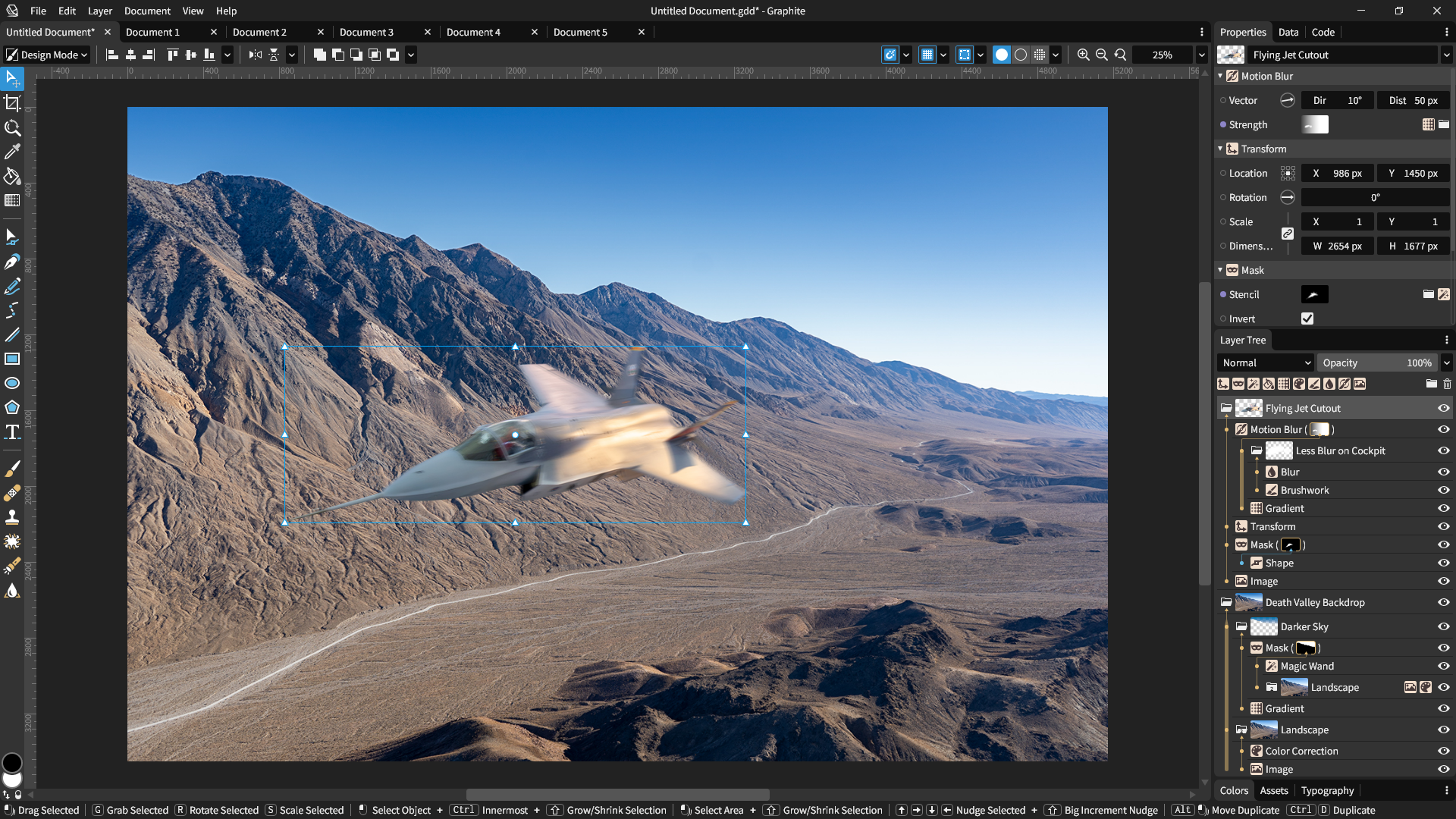
Viewport interface mockup showcasing a photo editing project that utilizes Graphite's raster graphics pipeline, one of the upcoming roadmap milestones. Raster editing is not yet supported.
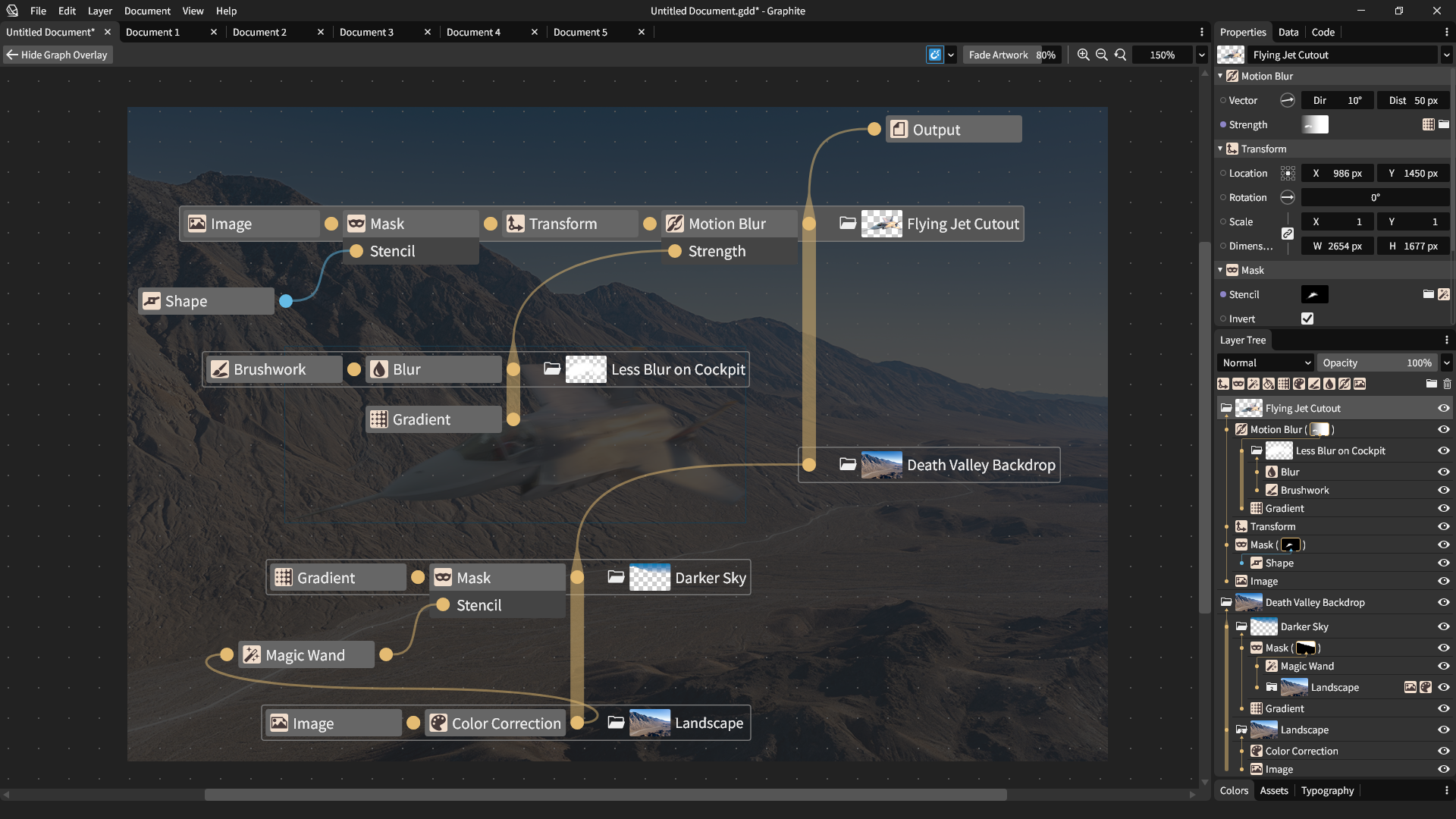
Node graph mockup demonstrating how the layers directly correspond to nodes. Thick vertical (upward) lines represent compositing stacks and horizontal (rightward) links represent data flow connections.